Dial-in & brewing
The coach walks you to the sweet spot shot by shot — and handles filter too.
- Coach engine with confidence score
- Sweet-spot timer for extraction
- Guided brew plans for V60, Chemex, AeroPress & French press
- Weather-adaptive grind size

 BrewPilot
For iPhone · iOS 26 · free
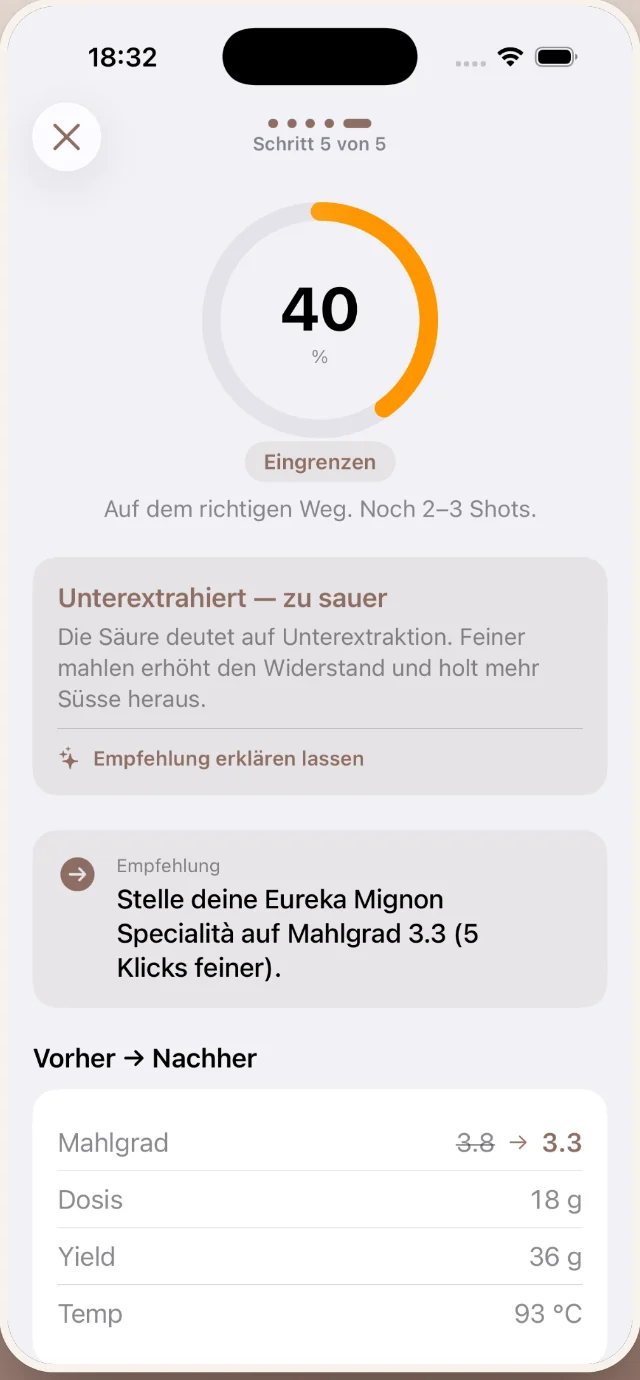
No more guesswork at the espresso machine. After every shot, BrewPilot tells you exactly what to change — for your grinder.
BrewPilot is launching on the App Store shortly.

How it works
“Set your Eureka Mignon to grind setting 3.3 — 5 clicks finer.”

From your first dial-in to the year in review — one calm app, everything on your iPhone.
The coach walks you to the sweet spot shot by shot — and handles filter too.
A new bag is in the app in seconds — and you always know how fresh it is and what a cup costs.

Watch yourself get better — across shots, beans and countries.

Your last shot, bean freshness and the coach — without opening the app.


Good beans deserve to be passed on. BrewPilot turns them into a file — no account, no cloud in between.
Privacy
BrewPilot is a tool, not a data collector. There simply is no server anything could be sent to.
The same goes for this website: no cookies, no trackers.
For roasters
BrewPilot users love importing new beans directly from your website — name, origin, roast level, price and photo are picked up automatically. All it takes is two things: structured product data (Shopify, WooCommerce and most systems ship it out of the box) and a readable roast date on the bag. You probably have both already.
For roasters who want to go further, a format is in the works that sends a bean plus your recommended recipe into the app via link or QR code — including your suggested grind, dose and ratio. Interested? Get in touch.
info@brew-pilot.comThe app is free, with no ads and nothing you have to buy. An optional Pro version with extra features will come later; everything that is free today stays free for everyone who starts now.
No. No registration, no login, no forced cloud — open the app and start right away.
iPhone running iOS 26 or later. Some features (text understanding on import, coach chat) use Apple Intelligence and only appear on devices that support it — the app works fully without them, you just miss those extras. iPad and Apple Watch are planned.
Yes. Besides the espresso dial-in there are guided brew plans for V60, Chemex, AeroPress and French press — with phases, target weights and a timer.
It stays on your iPhone. BrewPilot has no server, collects nothing and analyzes nothing. Your data only leaves the device when you share something yourself — and it is part of your regular iPhone backup.
German and English.